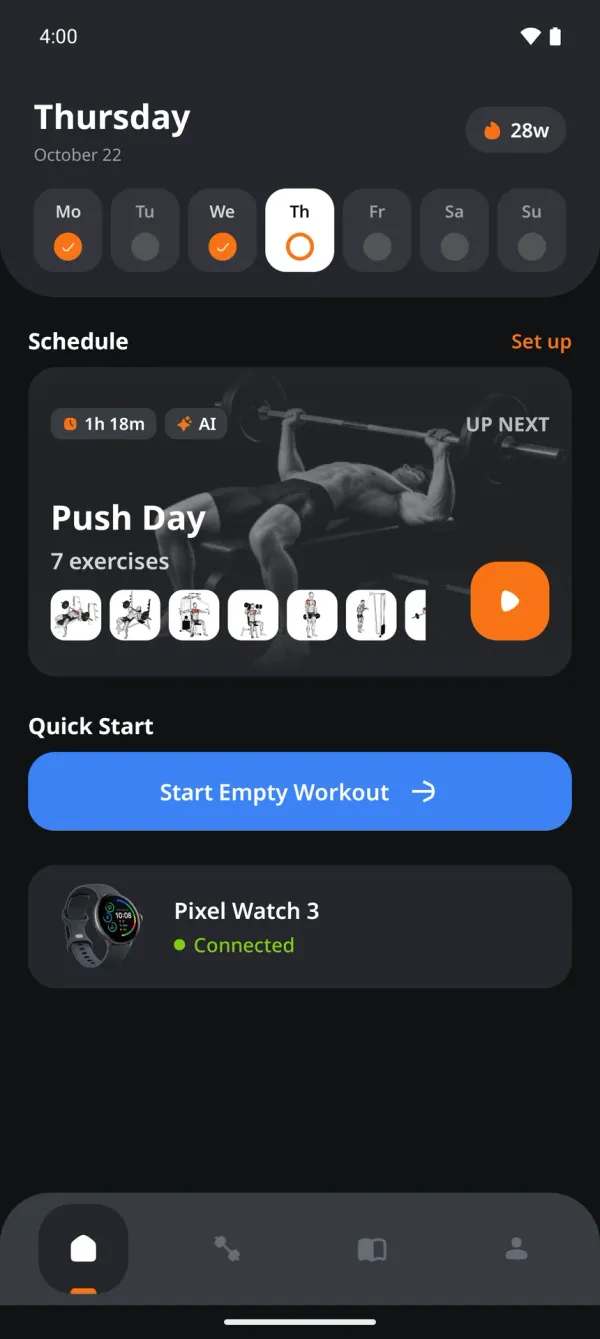
Wear OS comparison
Gymus vs Hevy on the wrist
Both apps log sets from a Wear OS watch. We measured battery drain across the same workout, then compared what each one can do without pulling out the phone.
Checked October 2026 on the same Galaxy Watch. Hevy is a trademark of its owner; Gymus is not affiliated with it.
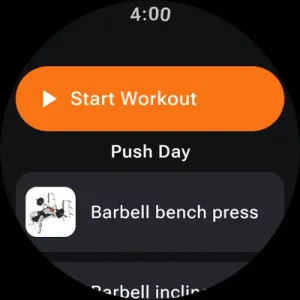
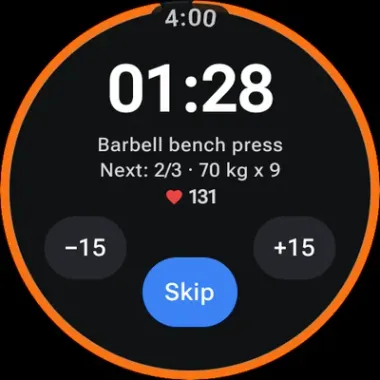
Battery
About half the drain per workout
We ran the same 30-minute workout on the same watch with each app and read the battery history afterwards. Gymus used roughly half the battery with the screen off between sets, and well under half with always-on display enabled.
- Gymus
- Hevy
Always-on display off
Hevy used 2.1× more
- Gymus6%
- Hevy12.5%
Always-on display on
Hevy used 2.6× more
- Gymus12%
- Hevy31%
Show every run
| Date | App | Always-on | Length | Battery used | Charge used |
|---|---|---|---|---|---|
| 12 Oct | Gymus | Off | 31 min | 6% | 16 mAh |
| 12 Oct | Gymus | Off | 31 min | 6% | 17 mAh |
| 12 Oct | Hevy | Off | 31 min | 10% | 26 mAh |
| 12 Oct | Hevy | Off | 31 min | 15% | 40 mAh |
| 13 Oct | Gymus | On | 32 min | 9% | 22 mAh |
| 13 Oct | Gymus | On | 31 min | 15% | 39 mAh |
| 10 Oct | Hevy | On | 31 min | 32% | 75 mAh |
| 11 Oct | Hevy | On | 33 min | 30% | 73 mAh |
Method: Samsung Galaxy Watch on Wear OS, 10 to 13 October 2026. One app open per run, phone connected, heart rate on. Battery history was exported with adb after each run (dumpsys batterystats). Two runs per app and setting; the bars show the average, the table shows each run. Your watch, brightness and workout will give different absolute numbers.
Feature by feature
What you can do without the phone
Everything below was tested on the watch itself. A cross means the feature is missing on the watch, not that the app lacks it on the phone.
| On the watch | Gymus | Hevy |
|---|---|---|
| Create and edit workout plansHevy routines are built on the phone or web and only run on the watch. | Yes | No |
| Full workout history | Yes | No |
| Set the rest timer length per exercise | Yes | No |
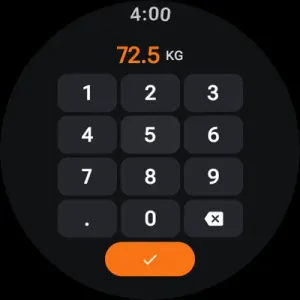
| Keypad for logging weight and repsType 72.5 on a keypad made for a round screen instead of scrolling to it. | Yes | No |
| Choose the step for the weight picker | Yes | No |
| Mark sets as warm-up, drop set or failure | Yes | Yes |
| Read your exercise notes | Yes | No |
| Heart rate during the workout | Yes | Yes |
| Calories during the workout | No | Yes |
| Always-on display with a true black ambient screenGymus dims to a black screen between sets. Hevy keeps its interface lit. | Yes | No |
| Leave the rest timer screen and come back to itIn Hevy, backing out of the timer stops it. | Yes | No |
| Finish a workout with the phone left in the lockerHevy saves the watch workout once it reconnects to the phone. | Yes | Yes |
Gymus is ahead on 8 of 12 rows, Hevy on 1, and the rest are a tie.
Fair is fair
Where Hevy is ahead
Calories on the watch
Hevy shows calories burned while you train. Gymus shows heart rate and the rest timer, not calories.
Apple Watch and iPhone
Hevy also runs on iOS and Apple Watch. Gymus is built for Android phones and Wear OS watches only.
Years of community
Hevy has a social feed and a large user base. Gymus is newer and focused on logging, plans and AI feedback.
Switching is easy
Bring your history with you
Import the CSV export from Hevy or Strong and your training history shows up in Gymus, exercises included.
Export your data any time.
- Hevy

- Strong

FAQ
Switching from Hevy, answered
Can I move my Hevy history to Gymus?
Yes. Export a CSV from Hevy and import it in the Gymus phone app. Workouts, sets and exercises are matched to the Gymus catalogue automatically, and the history then shows on your watch too.
Is Gymus a Hevy alternative for Wear OS?
If you train with an Android phone and a Wear OS watch, yes. Gymus runs the whole workout on the watch, lets you build plans and read history there, and uses about half the battery per session. Hevy is the better fit if you also use an iPhone or Apple Watch.
Is the Gymus watch app free?
Yes. Plans, history, the rest timer and the watch app are all included in the free download on Google Play.
How was battery drain measured?
Each app ran the same 30-minute workout on the same Galaxy Watch, twice with always-on display on and twice with it off. The watch battery history was exported with adb after every run and the percentage drop per run was recorded. Figures are from October 2026.
Which watches does Gymus support?
Any watch on Wear OS 3 or newer, such as Pixel Watch or Galaxy Watch 4 and later. Hevy also requires Wear OS, so older Tizen Galaxy Watches work with neither app.


Train smarter. Log faster.
Install Gymus, pick a plan and log your first set today.
Free on Google Play. Android and Wear OS.